Week #3 #
Project name: InnoSync #
Code repository: https://github.com/IU-Capstone-Project-2025/InnoSync
Team Members #
| Team Member | Telegram Alias | Email Address | Track | Responsibilities |
|---|---|---|---|---|
| (Lead) Ahmed Baha Eddine Alimi | @Allimi3 | a.alimi@innopolis.university | [Management/Product Design] | Team Management, Frontend & Design Supervision |
| Yusuf Abudghafforzoda | @abdugafforzoda | y.abudghafforzoda@innopolis.university | [Backend] | Backend Integration, Database Design and Conception |
| Egor Lazutkin | @Johnn_u | e.lazutkin@innopolis.university | [Backend] | Backend Integration, Database Design and Conception |
| Anvar Gilmiev | @glmvai | a.gilmiev@innopolis.university | [Frontend] | Frontend Implementation, Design Conception |
| Asgat Keruly | @east511 | a.keruly@innopolis.university | [Frontend] | Frontend Implementation, Design Conception |
| Aibek Bakirov | @bakirov817 | a.bakirov@innopolis.university | [DevOps] | Infrastructure Automation, CI/CD Setup, Deployment |
| Gurbanberdi Gulladyyev | @gurbangg | g.gulladyyev@innopolis.university | [ML] | ML Model Research & Development for QuickSyncing |
Implemented MVP features #
User Authentication
- Recruiters and Recruitees can sign up and log in securely.
- Profile creation flow is initiated upon first login.
Recruitee Profile Creation
- Recruitees can provide detailed information including:
- Preferred roles/positions
- Tech stack (skills)
- Expertise level (Entry, Junior, Mid, Senior)
- Experience level
- Work experience history
- Resume upload (optional)
- Recruitees can provide detailed information including:
Talent Search & Filtering
- Recruiters can manually search and filter Recruitees.
- Filtering options include skills, roles, and expertise level.
Project Search & Application & Filter
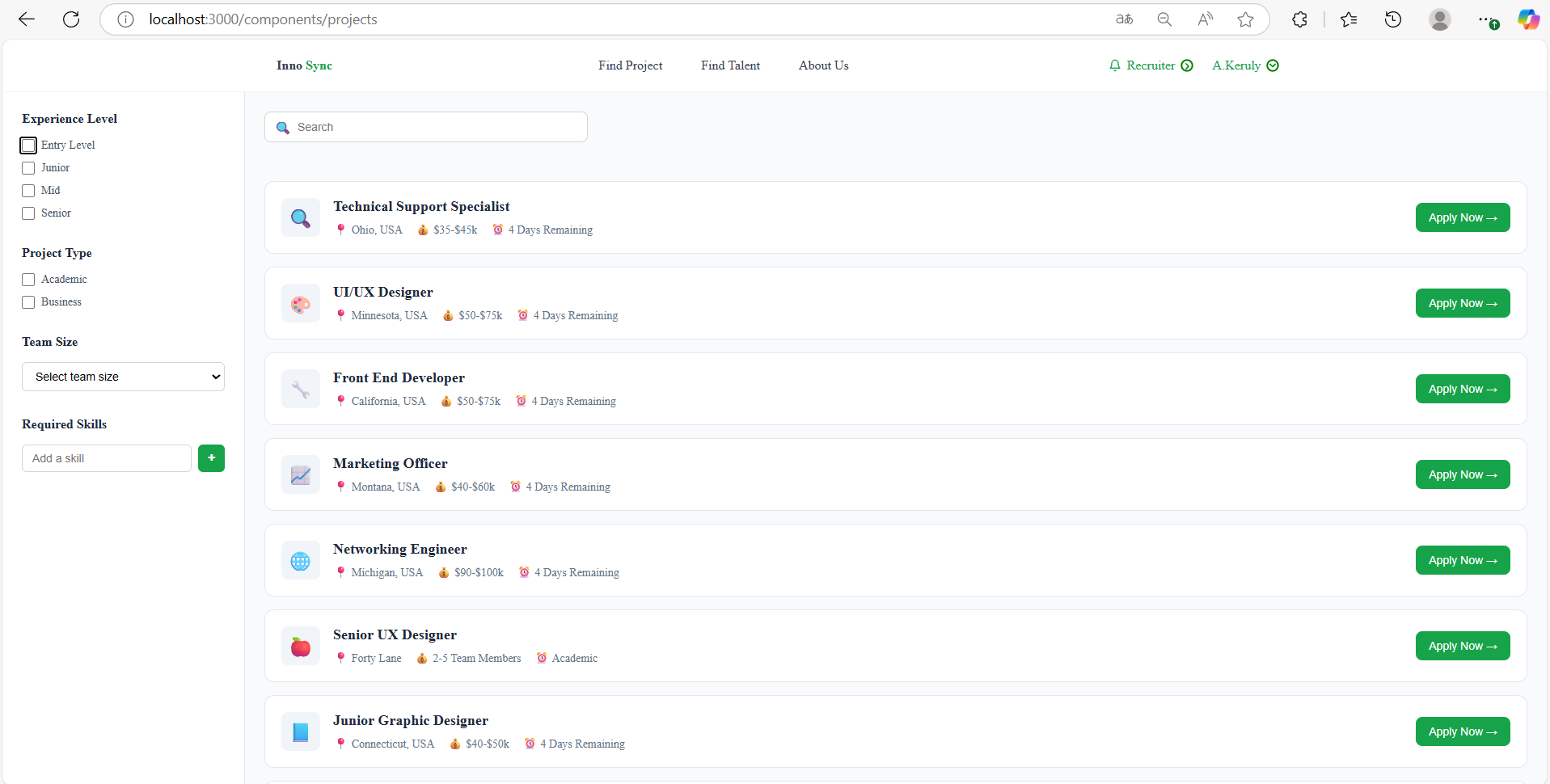
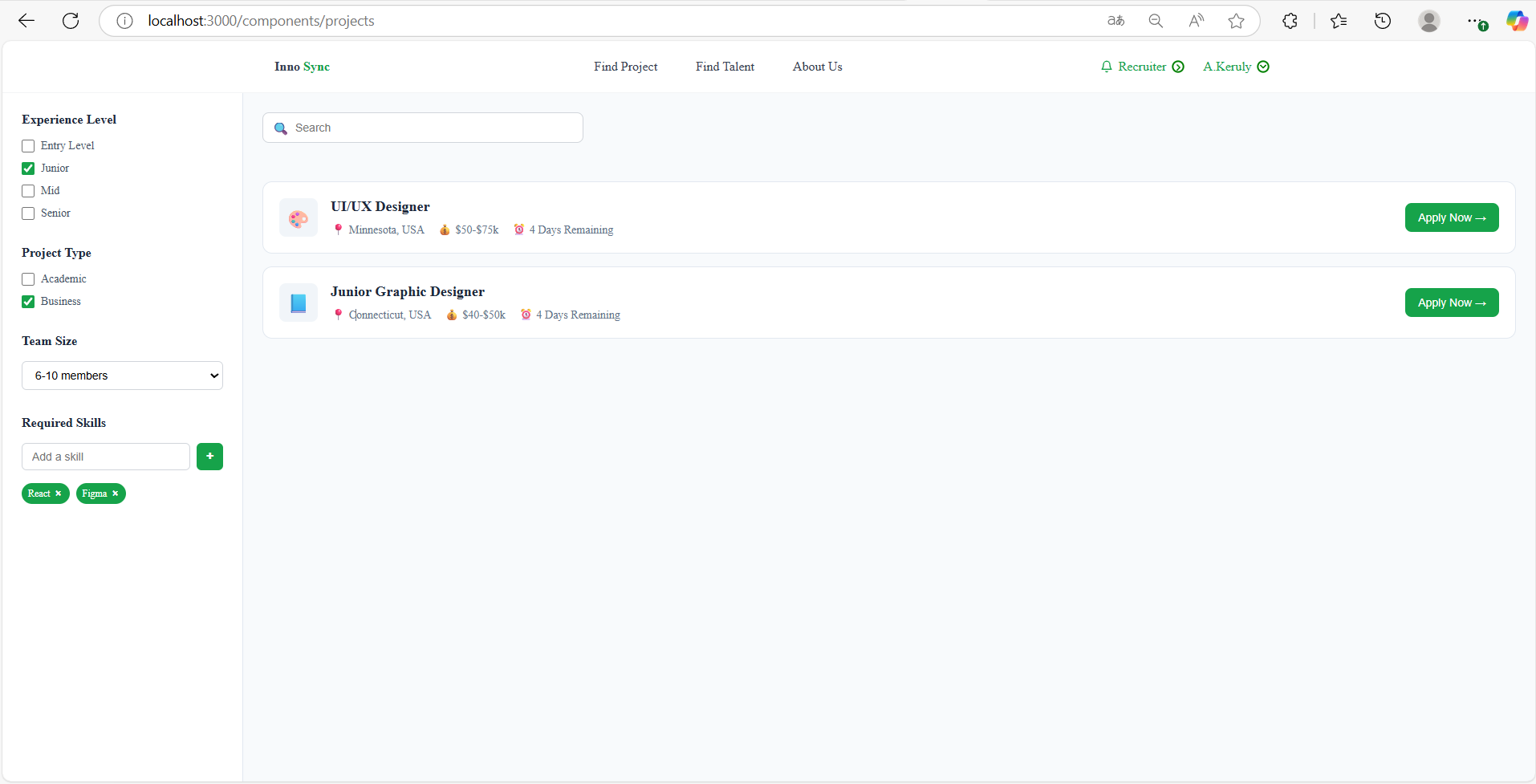
- Recruitees can browse and filter available projects.
- Projects are filterable by required skills, type (paid/academic), and time commitment.
- Recruitees can apply directly to projects via the dashboard.
🔄 Functional User Journeys #
1️⃣ User Journey: Sign Up & Login #
Persona: Recruitee or Recruiter
- User visits the platform landing page.
- Clicks on “Sign Up” and fills in the required registration form.
- After successful sign-up, user is redirected to the profile creation wizard.
2️⃣ User Journey: Profile Creation #
Persona: Recruitee or Recruiter
- After first sign up, user is prompted to create a profile.
- User fills in:
- Preferred roles/positions
- Tech stack (skills)
- Expertise level (Entry–Senior)
- Experience level
- Work experience (optional)
- Uploads resume (optional)
- On completion, user is redirected to the Recruitee Dashboard.
3️⃣ User Journey: Recruiter Searches & Filters Recruitees #
Persona: Recruiter
- Recruiter logs into the platform.
- Navigates to the “Talent Search” section from the dashboard.
- Applies filters such as:
- Skills
- Roles
- Expertise level
- A list of matching Recruitee profiles is displayed.
- Recruiter views profiles and may contact candidates.
4️⃣ User Journey: Recruitee Browses & Applies to Projects #
Persona: Recruitee
- Recruitee logs into their dashboard.
- Navigates to the “Projects” section.
- Uses filters like:
- Required skills
- Project type (paid/academic)
- Time commitment
- Selects a project and views detailed description.
- Clicks “Apply” to send an application.
Demonstration of the working MVP #
Below are screenshots showcasing the current working state of our MVP:
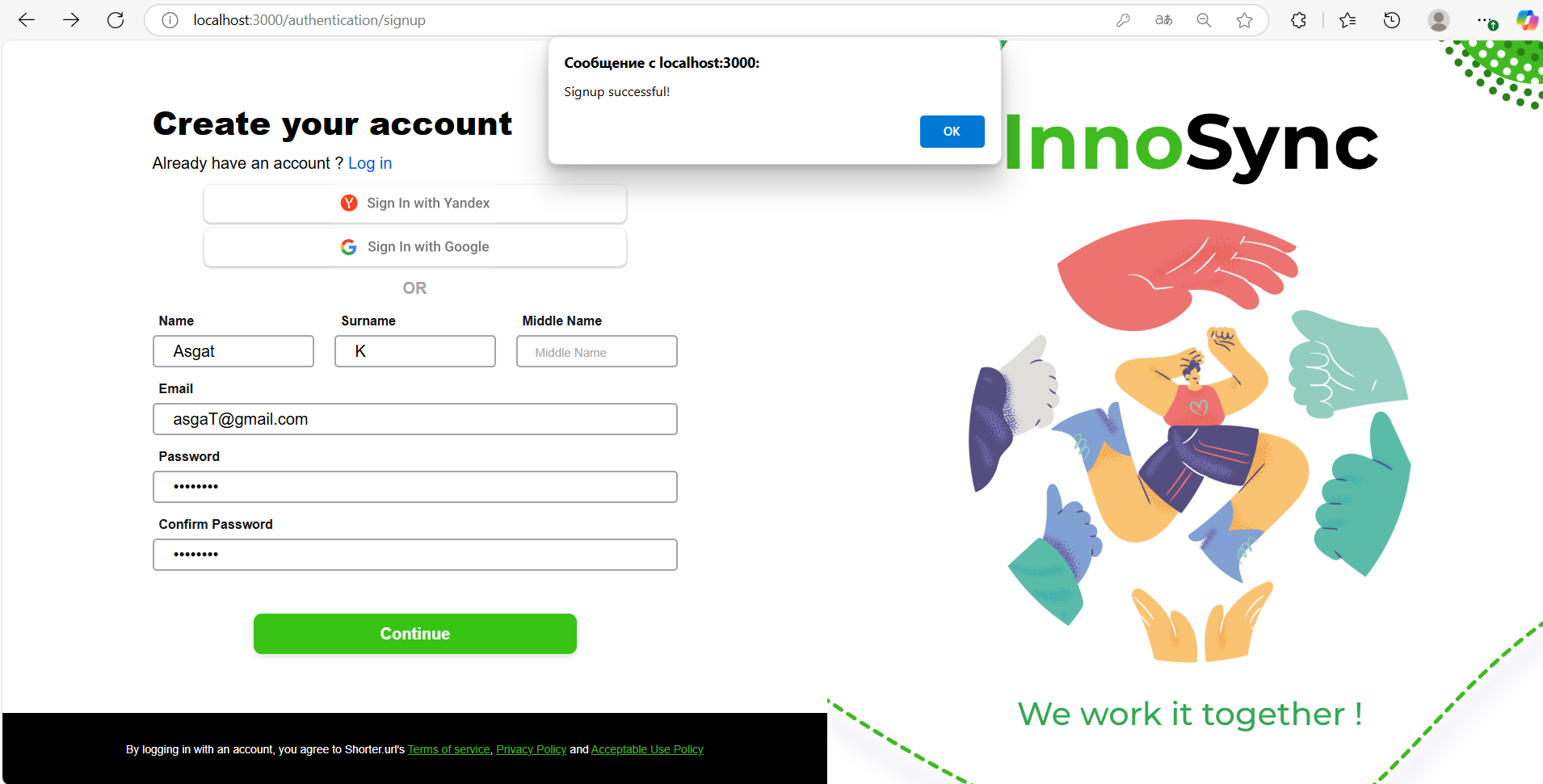
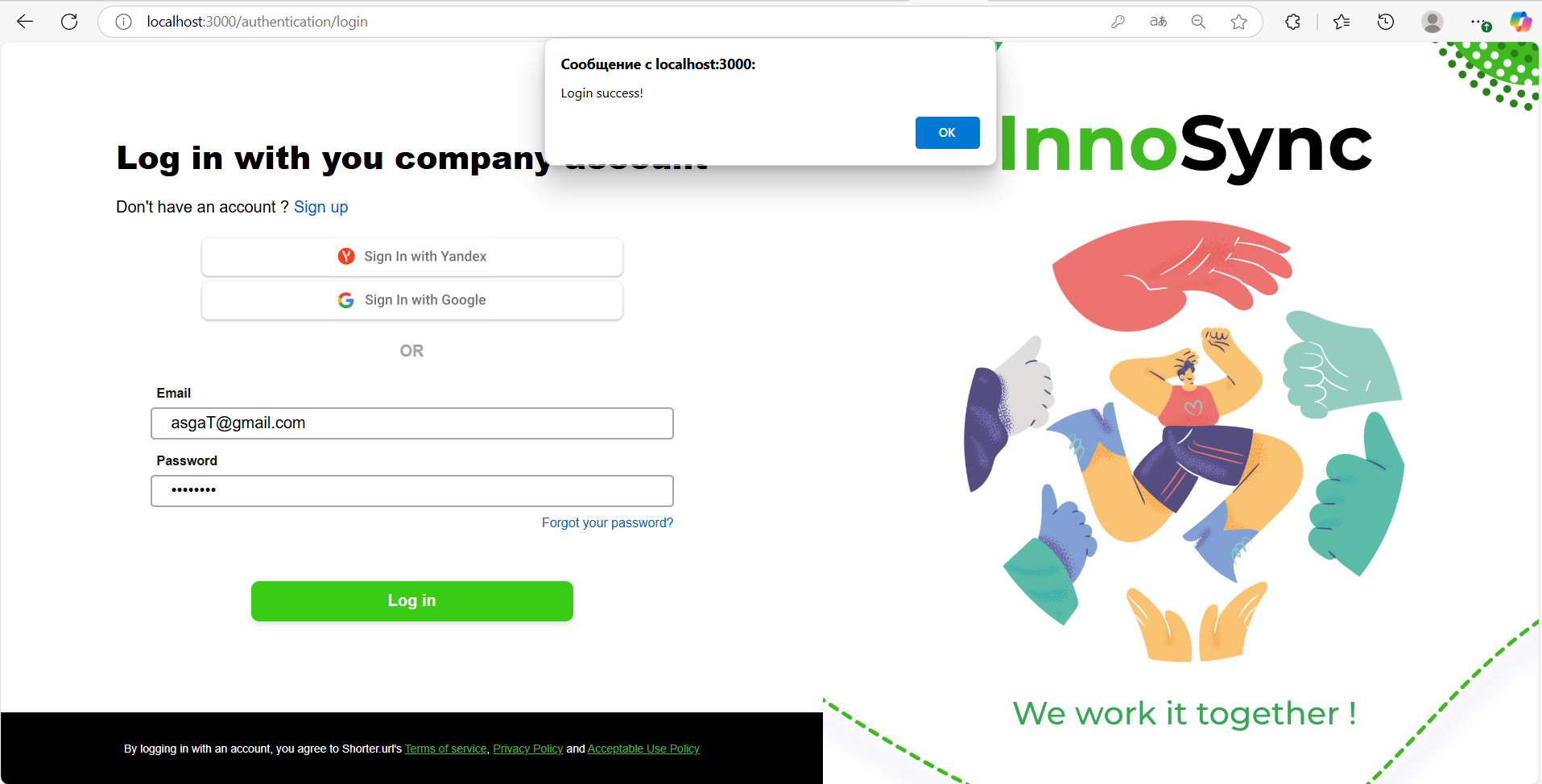
🔐 Sign Up & Login #
- New users can create an account and access the platform.
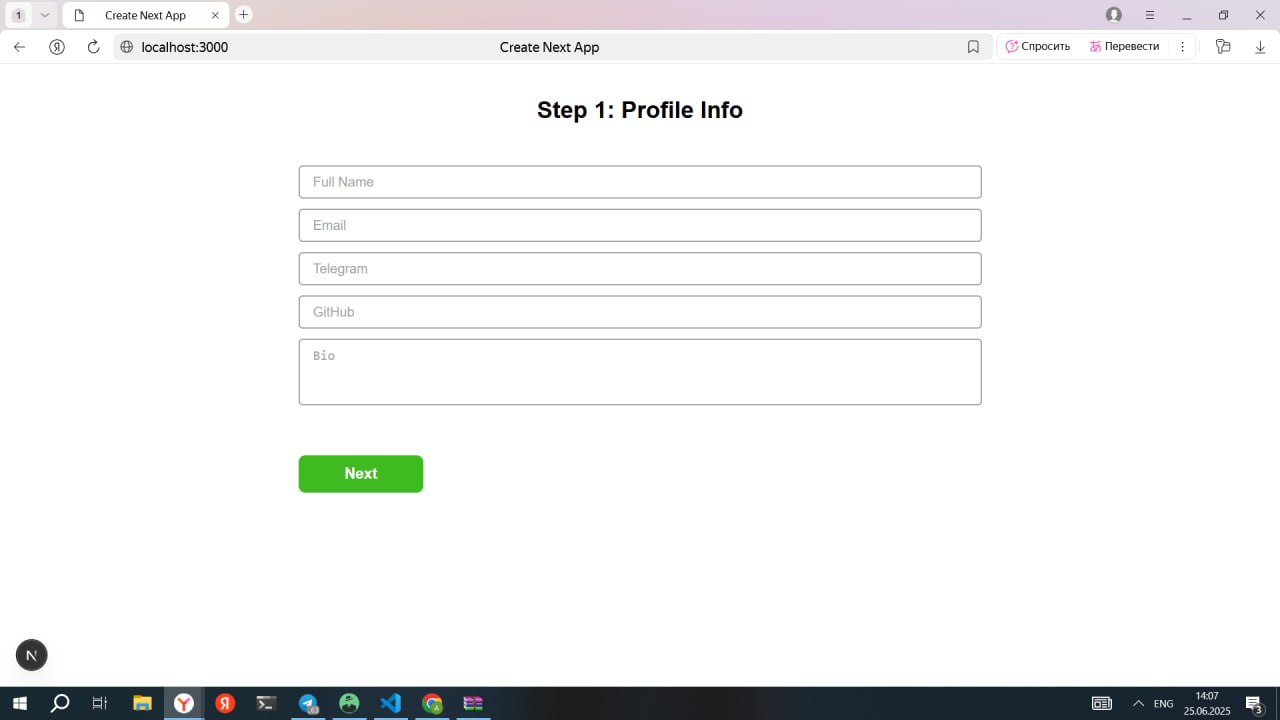
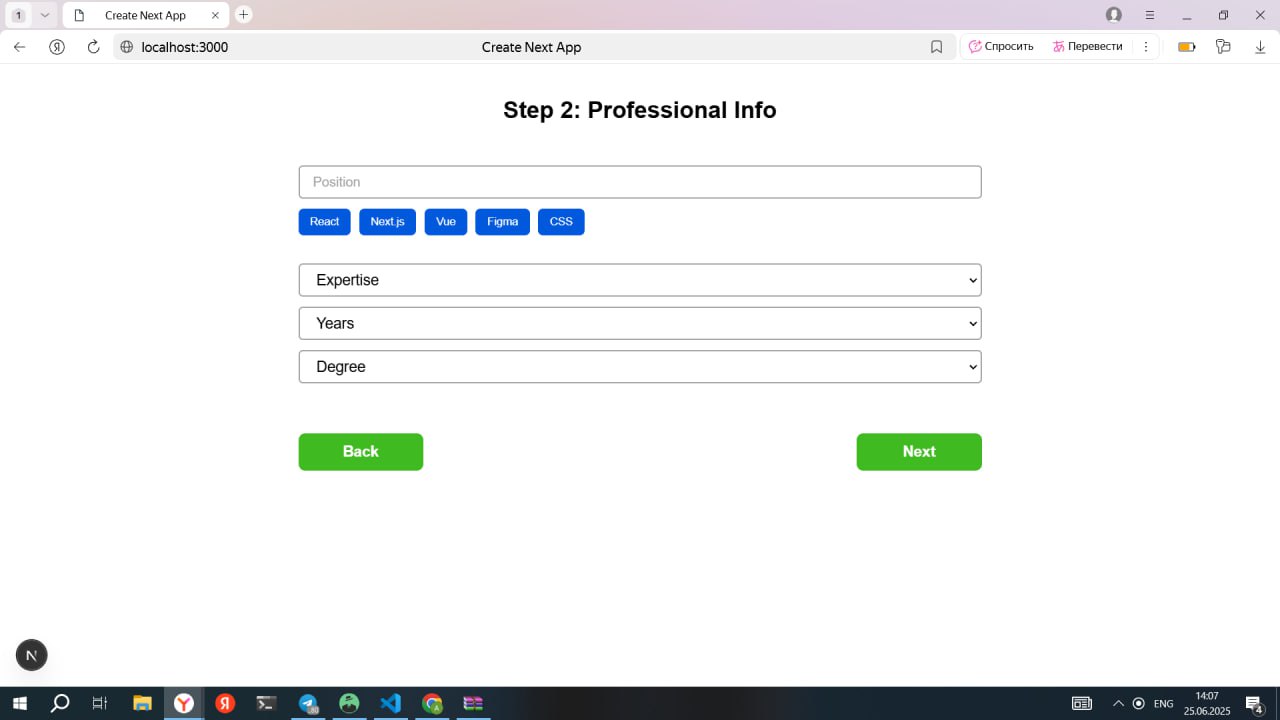
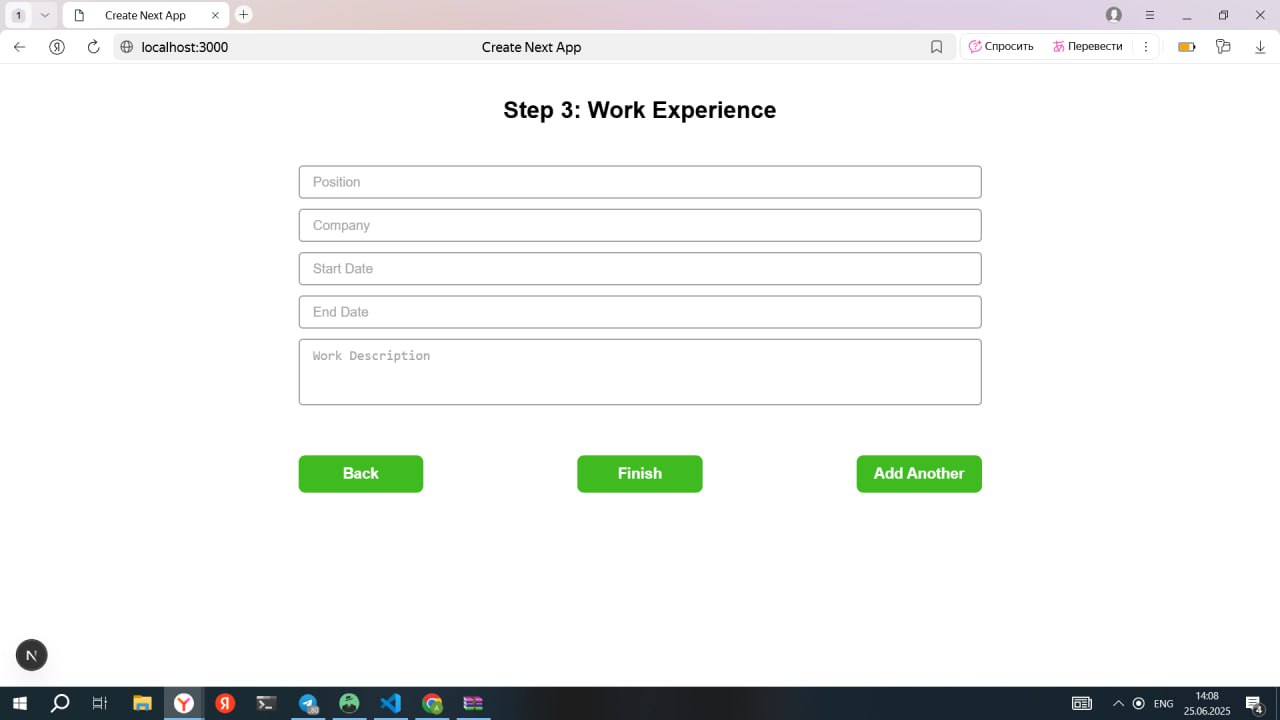
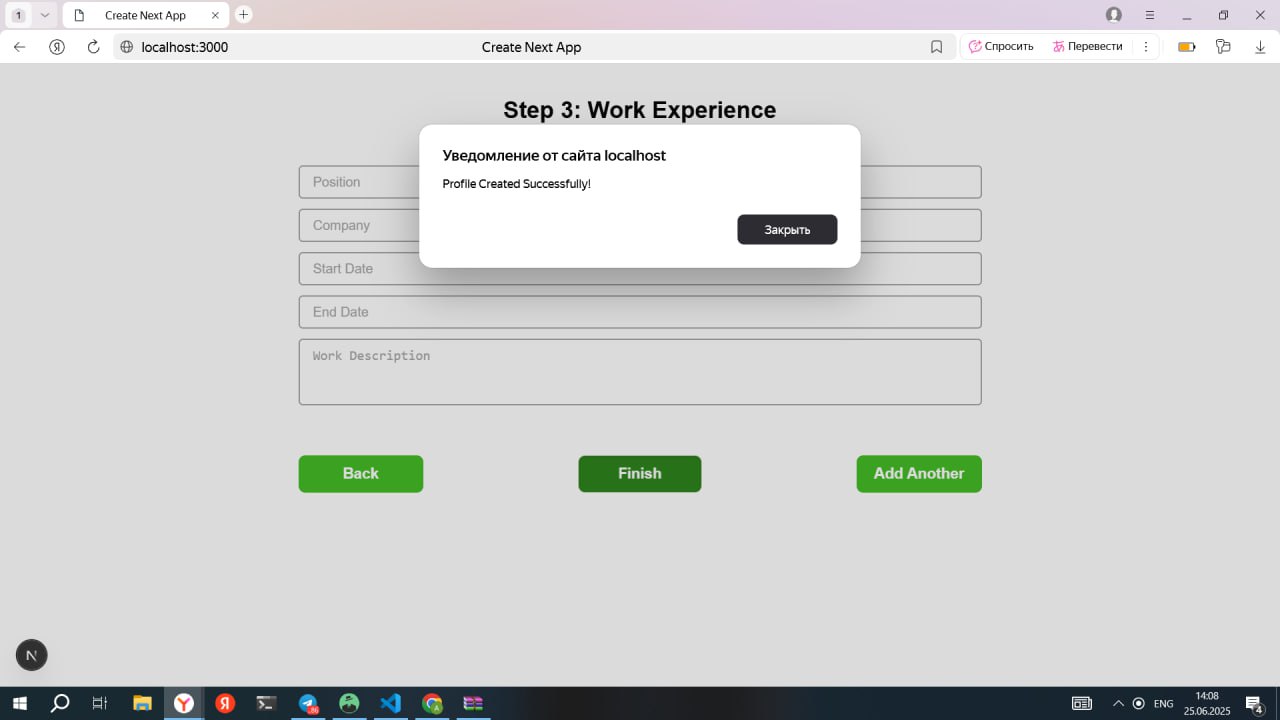
📝 Profile Creation #
- Recruitees can build a detailed profile, including roles, skills, experience, and resume upload.
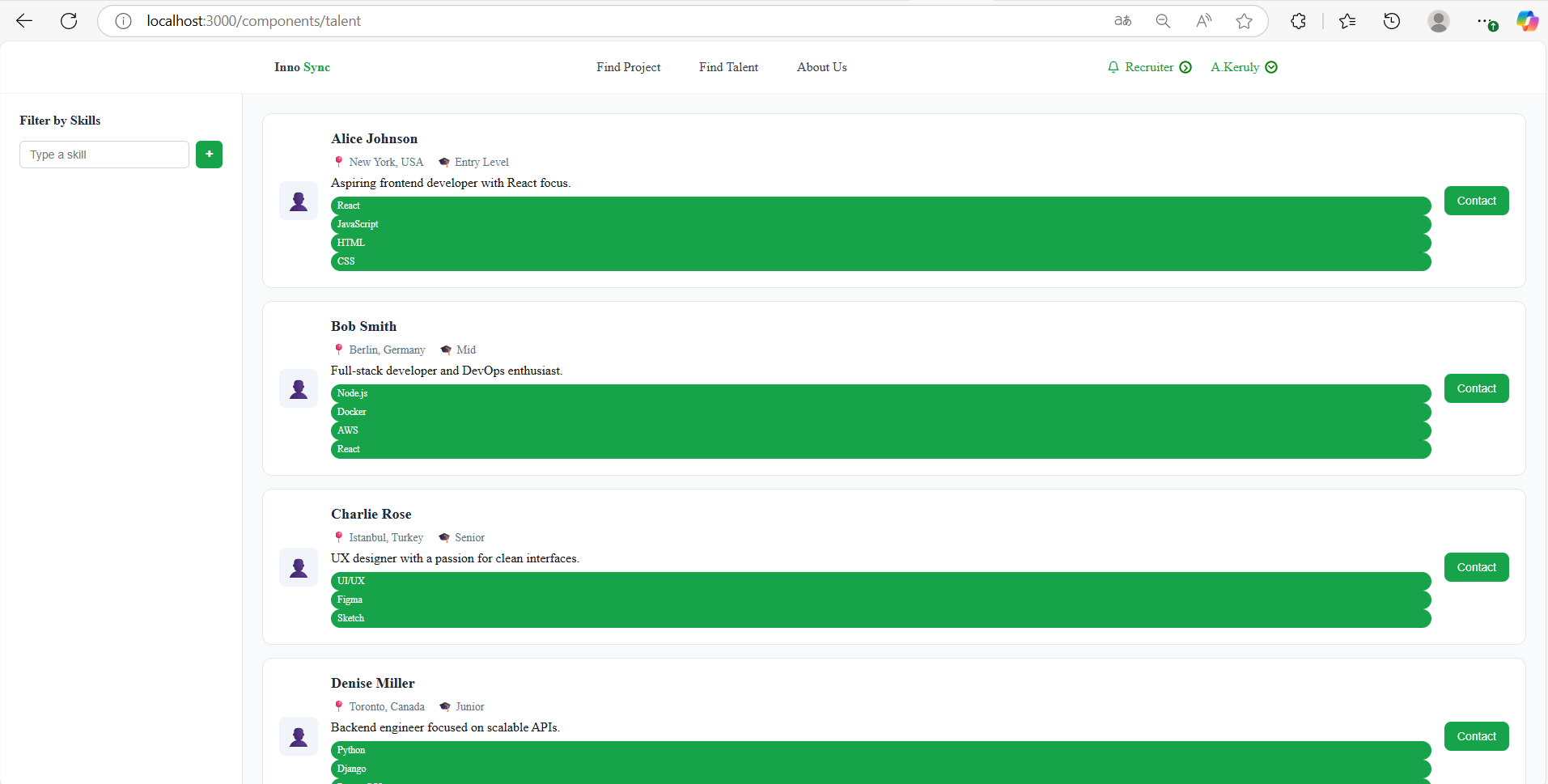
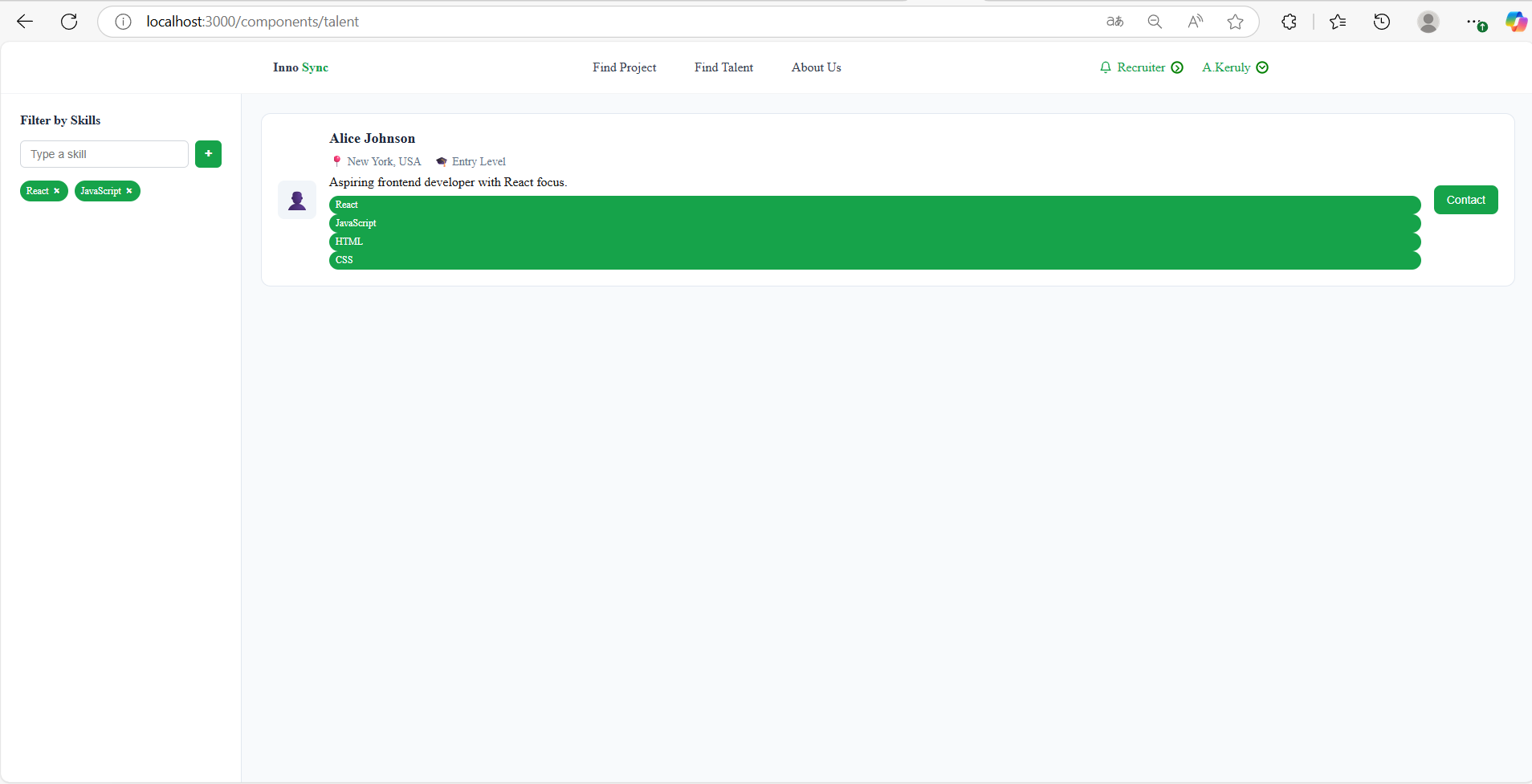
🧑💼 Recruiter View – Talent Search & Filter #
- Recruiters can search and filter Recruitees based on multiple criteria.
🧑🎓 Recruitee View – Project Search & Application #
- Recruitees can search and apply for projects that match their skills.
🛠️ Backend Implementation #
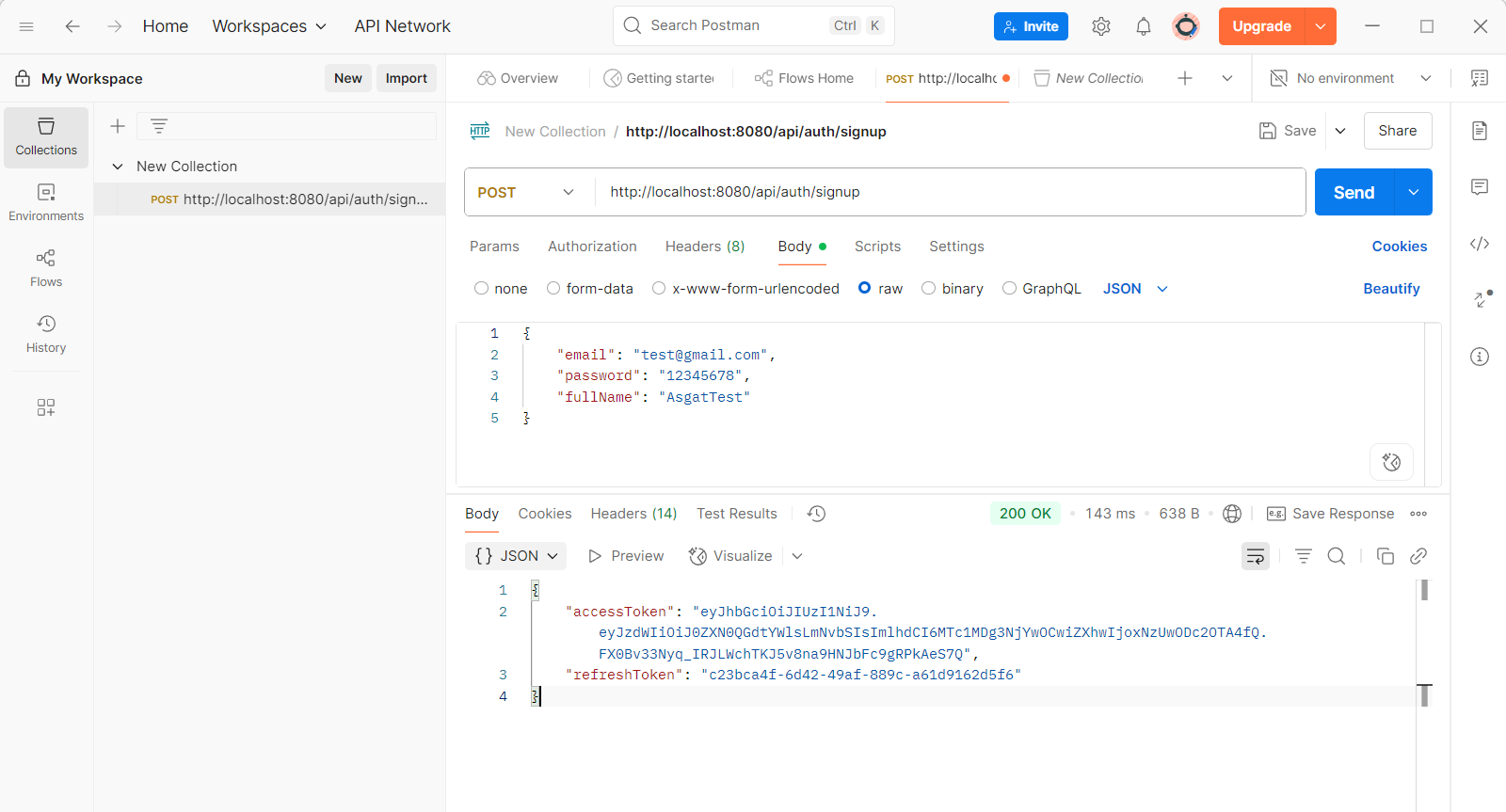
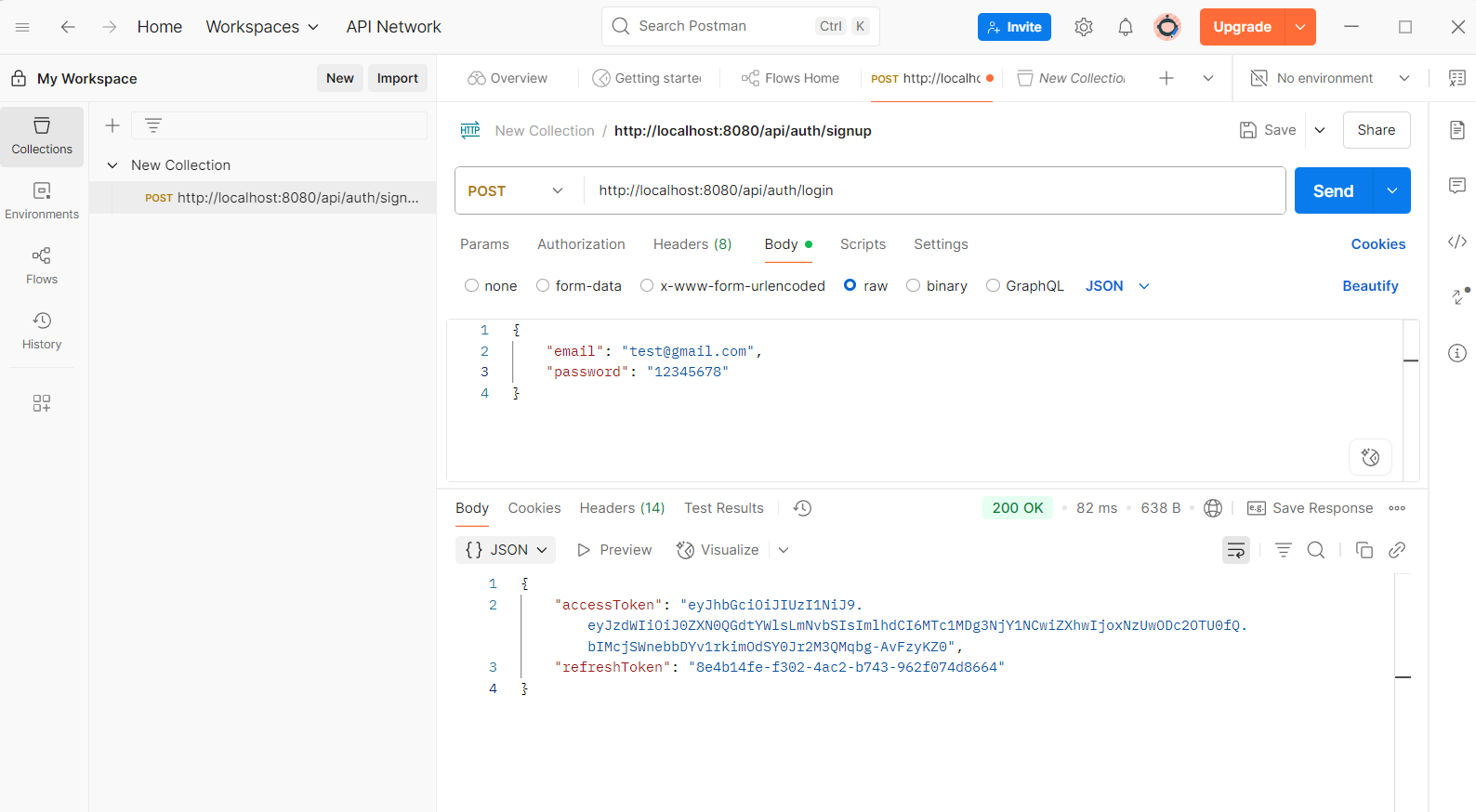
The backend was developed using Java with Spring Boot and Below are screenshots showcasing some of the current working state of our MVP endpoints:
📄 To view the full list of working APIs, please check our backend API documentation:
View ReadMe
🔐 Authentication APIs #
📁 Project Management APIs #
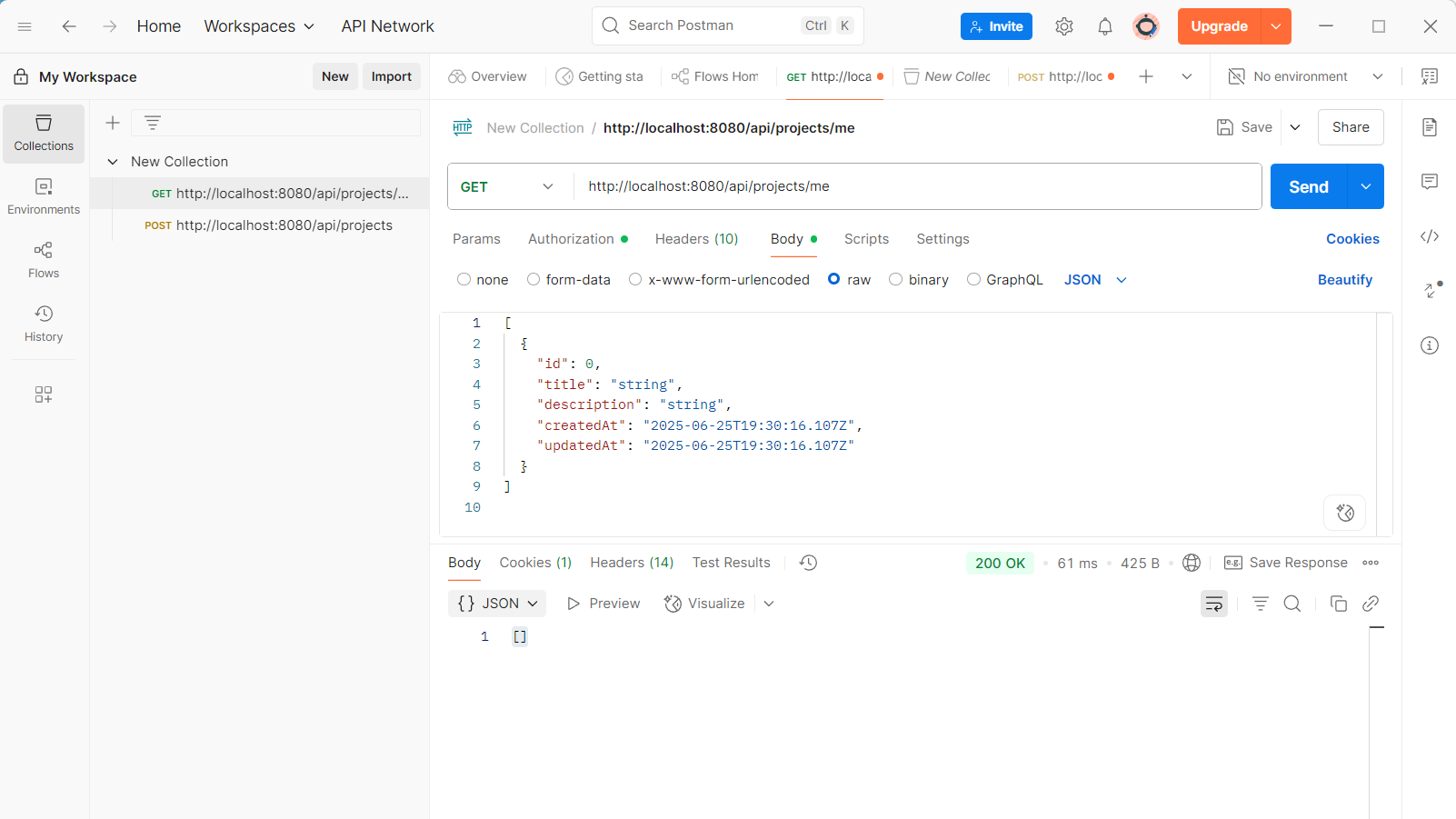
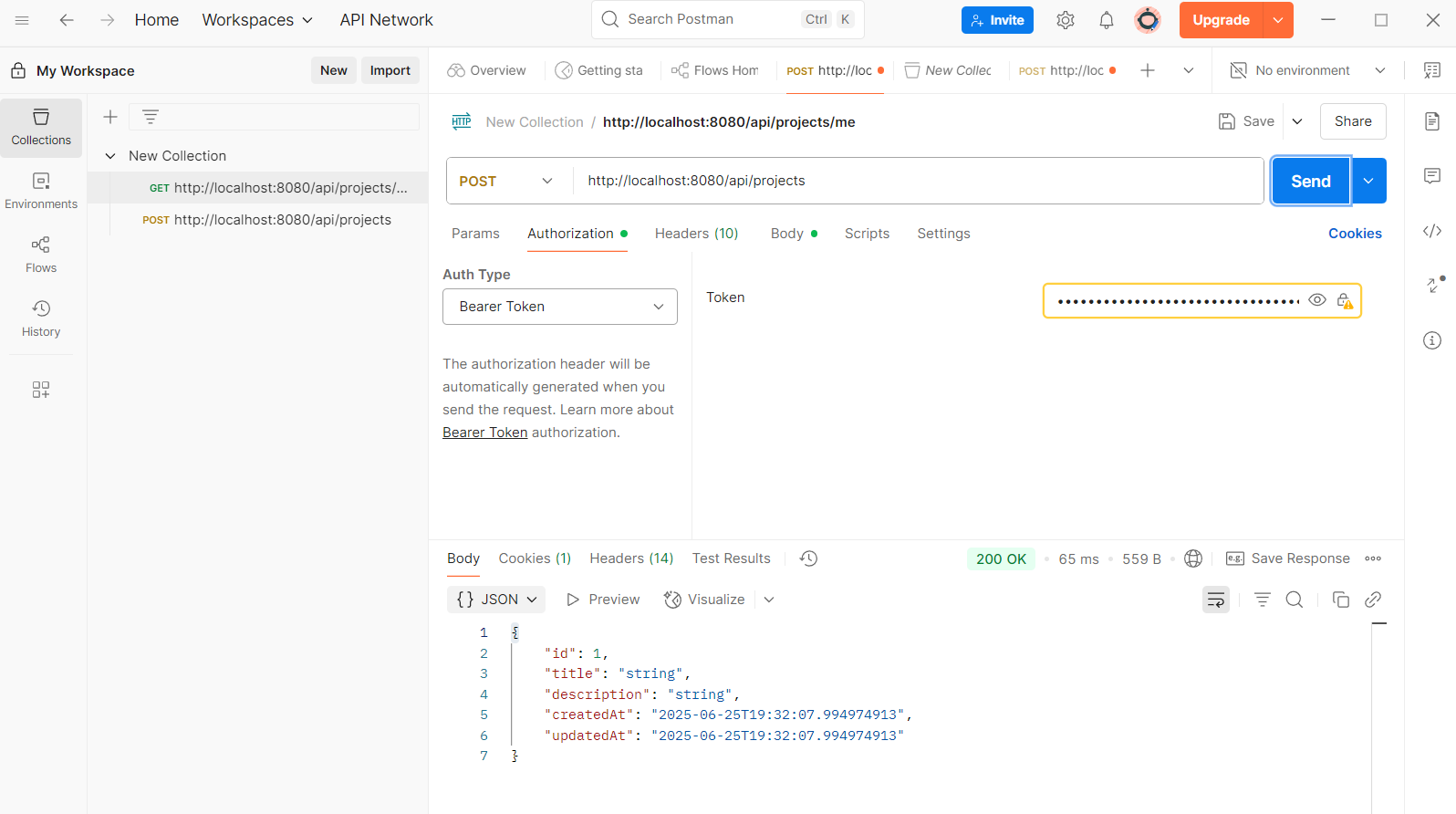
🤖 Machine Learning (QuickSyncing) #
We enhanced the recommendation engine that powers QuickSyncing by introducing a team synergy metric and deploying a lightweight API.
Link to the training code: View Code
✅ Improvements Made #
- Added team synergy scoring using Jaccard similarity to assess how well candidates complement each other.
- Implemented content-based filtering using:
- TF-IDF vectorization on skill descriptions.
- Cosine similarity to match job requirements with candidate profiles.
- Built and deployed a FastAPI microservice to expose the model as an endpoint for backend integration.
How The Model Works #
- The Model uses content-based filtering by using TF-IDF vectorization to convert skills (text) into numerical weights. Then we use cosine similarity between job requirements and candidate skills. We also evaluate team synergy using Jaccard similarity. Also, added FastAPI for integration with backend.
Links to the initial model artifacts
🧪 Internal demo #
🔍 Demo Summary #
We conducted an internal demo of the MVP to test the entire end-to-end user flow from both Recruitee and Recruiter perspectives.
✅ What Worked Well #
- Authentication system was fully functional: sign up, log in, and session persistence worked as expected.
- Profile creation guided users step-by-step and stored data correctly.
- Talent search and filtering on the Recruiter side successfully returned Recruitees.
- Project search and application flow on the Recruitee side was responsive and filtered results accurately.
- ML FastAPI integration was functional locally, returning basic candidate recommendations.
🐞 Identified Issues / Bugs #
- Profile creation form UX needs slight refinements.
- Filtering and searching pages for both recruitee and recruiters are not responsive and need more refined design.
- Some validation messages are not clearly displayed.
🔧 Immediate Action Points #
- Improve UI/UX of forms (auto-focus fields, better error display).
- Fix inconsistencies in filtering results.
- Removing the role based feature and make everyone can act as recruiter and recruitee.
- Run another internal walkthrough post-patches before demoing externally.
Product Design #
- Conducted UX research to identify pain points and inefficiencies in the existing design and application flow [View Docs Link]
- Enhanced the high-fidelity designing for the web application [View Figma File]
CustDev #
- Researched and formulated customer Journey Map [View Docs Link]
Weekly commitments #
Individual Contribution of Each Participant #
Ahmed Baha Eddine Alimi:
- UX research of the user pain points in the current design and application flow View Docs
- Created Issues in Github to facilitate collaboration and progress tracking View
- Implemented the design for Signup and Login Page View Commit
- Enhanced the application figma design View High-Fi Figma File
- Reviewed and merged pull requests in the frontend side View Commit
- Wrote the report
Yusuf Abudghafforzoda:
- Impelemented Project creation API View Commit
- Implementend Invititation API (Sending, accepting, deniying) View Commit
- Implementend application API View Commit
- Updated ReadMe for backend Documentation View Commit
Egor Lazutkin:
- Expanded Functionality and information content of the user profile (added new fields and database connections between profile and additional information). View Commit
- Implemented Customer Journey Map View Docs
Asgat Keruly:
- Implemented Talent Search and Filtering Page View Commit
- Implemented Project Search and Filtering Page View Commit
- Linked frontend and backend, Endpoints linkage. View Commit
- MVP testing, and provided screenshots of MVP to the report
Anvar Gilmiev:
- Continued Implementation of Profile creation pages View Commit
- Worked on the endpoints linkage in the profile creation page View Commit
Aibek Bakirov:
- Created virtual machine View ReadMe
- Deployed backend server View Link
Gurbanberdi Gulladyyev:
- Improved ML model by introducing team synergy scoring using Jaccard similarity. View Commit
- Built FastAPI service for exposing capabilities. View Commit
Plan for Next Week #
Frontend:
- Enhance the current design implementation and align it with the latest Figma mockups.
- Add consistent button styling and implement input validations across forms.
- Introduce minimal responsiveness for better usability on smaller screens.
- Implement the dashboard page layout and functionality.
Backend:
- Add endpoints to accept/reject project applications.
- Add pagination and sorting for search APIs.
- Implement team management endpoints.
Machine Learning:
- Add endpoint to accept full recruiter project data and return recommendations.
- Add testing coverage and improve input validation.
- Refactor FastAPI app for production-readiness (logging, error handling).
DevOps:
- Finish
docker-composesetup for full stack (frontend + backend + ML). - Configure GitHub Actions for continuous integration and linting.
- Set up HTTPS and domain config (if applicable).
- Add deployment guide to README for team usage.
- Finish
Product Design:
- Finalize remaining high-fidelity screens.
- Conduct mini UX review based on demo feedback.
- Update Figma with final logic flows for future reference.
CustDev:
- Schedule and conduct short user testing sessions.
- Gather feedback on current MVP experience (signup, navigation, value).
- Prioritize key findings into quick wins vs. post-MVP backlog.
Confirmation of the code’s operability #
We confirm that the code in the main branch:
- [✔] In working condition.
- [✔] Run via docker-compose (or another alternative described in the
README.md).